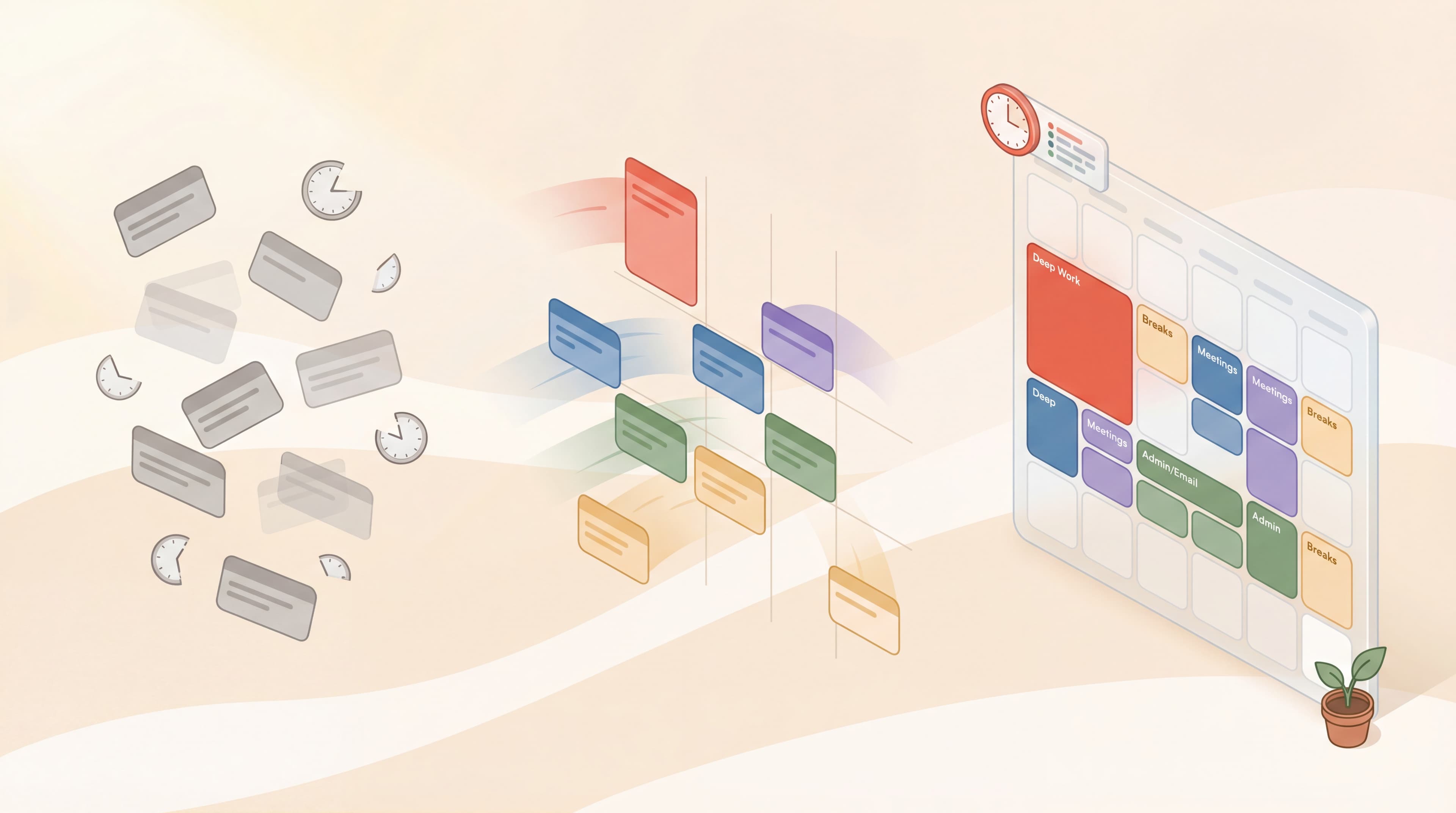
Most people start their day with a vague plan: "I'll work on the report, answer some emails, maybe prep for that meeting."
By 5 PM, they've done a little of everything and completed almost nothing. The day slipped away in a blur of interruptions, context switching, and reactive work. Sound familiar?
There's a reason the world's most productive people — from Elon Musk to Bill Gates to Cal Newport — don't leave their days to chance. They use a deceptively simple system called time blocking.
In this guide, you'll learn exactly what time blocking is, why it works so well, and how to implement it starting today.
Time blocking is the practice of planning your day in advance by assigning specific tasks to specific time slots.
Instead of working from a to-do list and tackling tasks as you feel like it, you decide when you'll work on what before the day begins.
Cal Newport, author of Deep Work and a time blocking advocate, describes it this way:
- "A 40-hour time-blocked work week produces the same amount of output as a 60+ hour work week pursued without structure."
The key insight: intention beats reaction. When you decide in advance what you'll work on, you eliminate the constant decision-making that drains energy and invites distraction.
Time blocking works in three steps:
Before you block time, you need clarity on what needs to be done. Review your:
- Project deadlines
- Ongoing commitments
- Administrative tasks
- Personal priorities
Write everything down. Don't filter yet.
For each task, estimate how long it will realistically take. Most people underestimate by 50%, so add buffer time.
If you're unsure, use past experience as a guide. How long did similar tasks take before?
Open your calendar and start blocking:
- Morning blocks for your most important, cognitively demanding work
- Afternoon blocks for meetings, emails, and reactive tasks
- Buffer blocks for overflow and unexpected issues
Every minute of your workday should have a purpose. If something isn't scheduled, it doesn't happen.
Time blocking isn't just organizational — it's psychological. Here's why it works so well:
Work expands to fill the time available. If you give yourself "all day" to write a report, it takes all day. If you block 2 hours, you finish in 2 hours.
Time blocking creates artificial deadlines that force focus and efficiency.
Every decision you make depletes mental energy. When you work from a to-do list, you're constantly deciding: "What should I work on next?"
Time blocking eliminates these micro-decisions. You've already decided. You just execute.
Humans are terrible at estimating time in the abstract. We think tasks will take less time than they do, then feel stressed when we fall behind.
Time blocking forces realistic planning. When you see your calendar full, you confront the truth: you can't do everything today.
A blocked calendar creates psychological commitment. If "Write proposal" is scheduled for 9-11 AM, skipping it feels like breaking a promise to yourself.
This is far more powerful than a to-do list item you might "get to later."
To-do lists are popular but flawed:
| To-Do Lists | Time Blocking |
|---|
| What needs to be done | When it will be done |
| Infinite (always grows) | Finite (constrained by hours) |
| No commitment to specific times | Specific commitment |
| Encourages cherry-picking easy tasks | Forces prioritization |
| Leaves planning to "later" | Plans in advance |
A to-do list tells you what. Time blocking tells you what and when.
The combination is powerful: maintain a master task list, then schedule the most important items into your calendar each day.
There are several approaches to time blocking. Choose what fits your work style:
Assign entire days to specific types of work:
- Monday: Admin and planning
- Tuesday: Creative work
- Wednesday: Meetings
- Thursday: Deep work projects
- Friday: Review and wrap-up
This reduces context switching to once per day. Jack Dorsey famously used this approach while running both Twitter and Square.
Group similar tasks together:
- All emails in two 30-minute blocks
- All phone calls in one afternoon slot
- All writing tasks in morning blocks
This leverages the psychological concept of "flow" — once you're in a mode, stay in it.
Set a fixed time limit for tasks, regardless of completion:
- Work on proposal: 9:00-10:30 (then stop)
- Review documents: 2:00-3:00 (then stop)
This prevents perfectionism and teaches efficient work. You learn to produce good work in limited time.
The Pomodoro Technique is time blocking at a micro level:
- 25-minute focused blocks
- 5-minute breaks between
- Longer break after 4 blocks
This works especially well for tasks you're procrastinating on or work that feels overwhelming.
Musk schedules his day in 5-minute increments. Every meeting, task, and break has a specific slot.
This extreme precision might seem obsessive, but it allows him to run multiple billion-dollar companies while remaining present for each task.
You don't need 5-minute blocks. But the principle applies: the more specific your scheduling, the more you accomplish.
Gates takes "Think Weeks" twice a year — extended time blocking for strategic thinking. During these weeks, he blocks all other obligations and reads, thinks, and writes.
This is time blocking at macro scale: protecting not just hours, but entire weeks for your most important work.
Newport blocks 3-4 hours every morning for deep work— no email, no meetings, no interruptions.
Shallow work (email, admin) is batched into afternoon blocks. This ensures his most cognitively demanding work gets his best hours.
Ready to try time blocking? Here's how to start:
At the end of each workday, spend 10-15 minutes planning tomorrow:
- Review your task list
- Identify the 3-5 most important tasks
- Block them into tomorrow's calendar
- Add buffer time for overflow
Planning the night before means you wake up with clarity instead of decision paralysis.
Your most important work should get your best hours. For most people, that's morning.
Block 2-3 hours for your highest-priority task before scheduling anything else. Protect this time like a meeting with your CEO.
Email, Slack, phone calls — batch them into specific blocks:
- Email: 11:00-11:30 AM and 4:00-4:30 PM
- Slack: Check only during scheduled times
- Calls: Afternoon block only
Outside these times, close the apps entirely.
Things will go wrong. Meetings run long. Unexpected issues arise.
Build 30-60 minutes of "buffer time" into your day. Use it for overflow or, if unused, for deep work.
Time blocking isn't about squeezing every second. Include:
- Lunch (actually blocked, not "whenever")
- Short breaks between intense blocks
- End-of-day shutdown routine
Recovery is part of productivity, not the opposite of it.
New time blockers often fill every minute with tasks. This leaves no margin for error, meetings that run late, or unexpected priorities.
Start with 60-70% of your day blocked. Leave room to breathe.
Your first schedule will be wrong. A meeting overruns. A task takes longer than expected.
This is normal. When your schedule breaks, take 2 minutes to rebuild the rest of the day. Don't abandon the system — adjust it.
Not all hours are equal. Your 9 AM brain is different from your 3 PM brain.
Schedule demanding work when you're sharpest. Save administrative tasks for low-energy periods.
If you only block deep work, shallow work will invade everything else.
Explicitly block time for email, admin, and reactive work. Contain it so it doesn't spread.
Time blocking is a guide, not a prison. If something truly urgent comes up, handle it.
The goal is intentionality, not perfection. Even a partially followed time-blocked day beats a completely reactive one.
You don't need special software. But these tools help:
- Google Calendar: Free, color-coding, easy to adjust
- Apple Calendar: Native for Mac/iOS users
- Outlook: Best for corporate environments
Use color coding:
- 🔴 Red = Deep work (don't interrupt)
- 🔵 Blue = Meetings
- 🟢 Green = Admin/email
- 🟡 Yellow = Personal/breaks
Pair time blocking with a timer for focused execution:
- Tommodoro for Pomodoro-style sessions
- Physical timers for screen-free focus
Many productivity experts prefer analog:
- Paper calendar: Cal Newport uses a simple notebook
- Day planner: Hourly breakdown on paper
- Index cards: One card per day with time blocks
Paper creates friction against constant editing, which can become procrastination itself.
- Block 3-4 hours for deep work daily
- Batch all meetings on 2-3 days if possible
- Schedule thinking time, not just doing time
- Block "office hours" for your team instead of constant availability
- Protect at least 1-2 hours daily for strategic work
- Use 30-minute meeting blocks by default (not 60)
- Longer blocks (2-3 hours) for creative work
- Separate "creation time" from "editing time"
- Block admin to specific days or times
- Block study sessions by subject
- Include breaks between subjects
- Use Pomodoro within study blocks
- Define clear start and end times
- Block "focus mode" when working from home
- Communicate your blocked times to family
Block 2 hours for a task, then execute using Pomodoro intervals:
- 25 min focus → 5 min break
- 25 min focus → 5 min break
- 25 min focus → 5 min break
- 25 min focus → 15 min break
This gives you macro-level structure (time blocking) with micro-level focus (Pomodoro).
Deep work requires extended, uninterrupted time. Time blocking protects that time:
- Block 3-4 hour deep work sessions
- Mark as "busy" in shared calendars
- Communicate unavailability to team
Without time blocking, deep work never happens because shallow work always feels more urgent.
Each week:
- Review what got done vs. what was planned
- Identify patterns (what times work best? What disrupts you?)
- Adjust next week's blocks accordingly
This creates continuous improvement in your scheduling accuracy.
You now understand time blocking. Here's your first step:
Tonight, spend 15 minutes planning tomorrow:
- Write down your 3 most important tasks
- Open your calendar
- Block 2 hours in the morning for your #1 task
- Block 30 minutes for email (only one slot)
- Block remaining tasks in afternoon slots
- Add a 30-minute buffer
Tomorrow, follow the schedule.
You won't do it perfectly. That's fine. The goal is to experience the difference between a planned day and a reactive day.
Once you feel that difference, you'll never go back.
Time blocking is the practice of assigning every task to a specific time slot, transforming your calendar from a record of meetings into a plan for productivity.
Key insights:
- Intention beats reaction: Decide in advance what you'll work on
- Parkinson's Law: Work expands to fill time; blocking limits it
- Decision fatigue: Pre-planning eliminates "what should I do next?"
- Top performers use it: Musk, Gates, Newport all time block
- Start simple: Block your most important work first, batch shallow work
- Combine methods: Time blocking + Pomodoro + Deep Work = maximum output
- Adjust constantly: Your first schedule will be wrong — that's normal
The most productive people don't have more time than you. They're just more intentional about how they use it.
Block your time. Protect your focus. Transform your output.
→ Start Your First Time-Blocked Focus Session with Tommodoro — Free